ClickShare Hub – modular Microsoft Teams Rooms system
ClickShare Hub is a modular video conferencing room system built on the Microsoft Device Ecosystem Platform (MDEP) and available as a certified Microsoft Teams Rooms bundle. One tap on the button starts the meeting; other platforms such as Zoom, WebEx or Google Meet run wirelessly via BYOD through the same device. controlrooms integrates ClickShare Hub wherever meeting rooms are to be standardised on Microsoft Teams Rooms without losing flexibility for other platforms.
ClickShare Hub in control rooms
Meeting rooms at control centres, in the administrative buildings of critical infrastructure operators or in technical areas need video conferencing that works reliably and fits the IT security policy. ClickShare Hub provides Microsoft Teams Rooms certification, MDEP as a hardened Android platform and, at the same time, BYOD flexibility for all other platforms. controlrooms plans the deployment so that standardising on Teams does not become a dead end.
The practical advantage: operators and managers start meetings without a tangle of cables, without adapter problems and without an IT ticket. At the same time, the room remains usable for external participants and alternative platforms. For operators with several meeting rooms at one or more sites, this means less support effort and a uniform operating concept.
Models
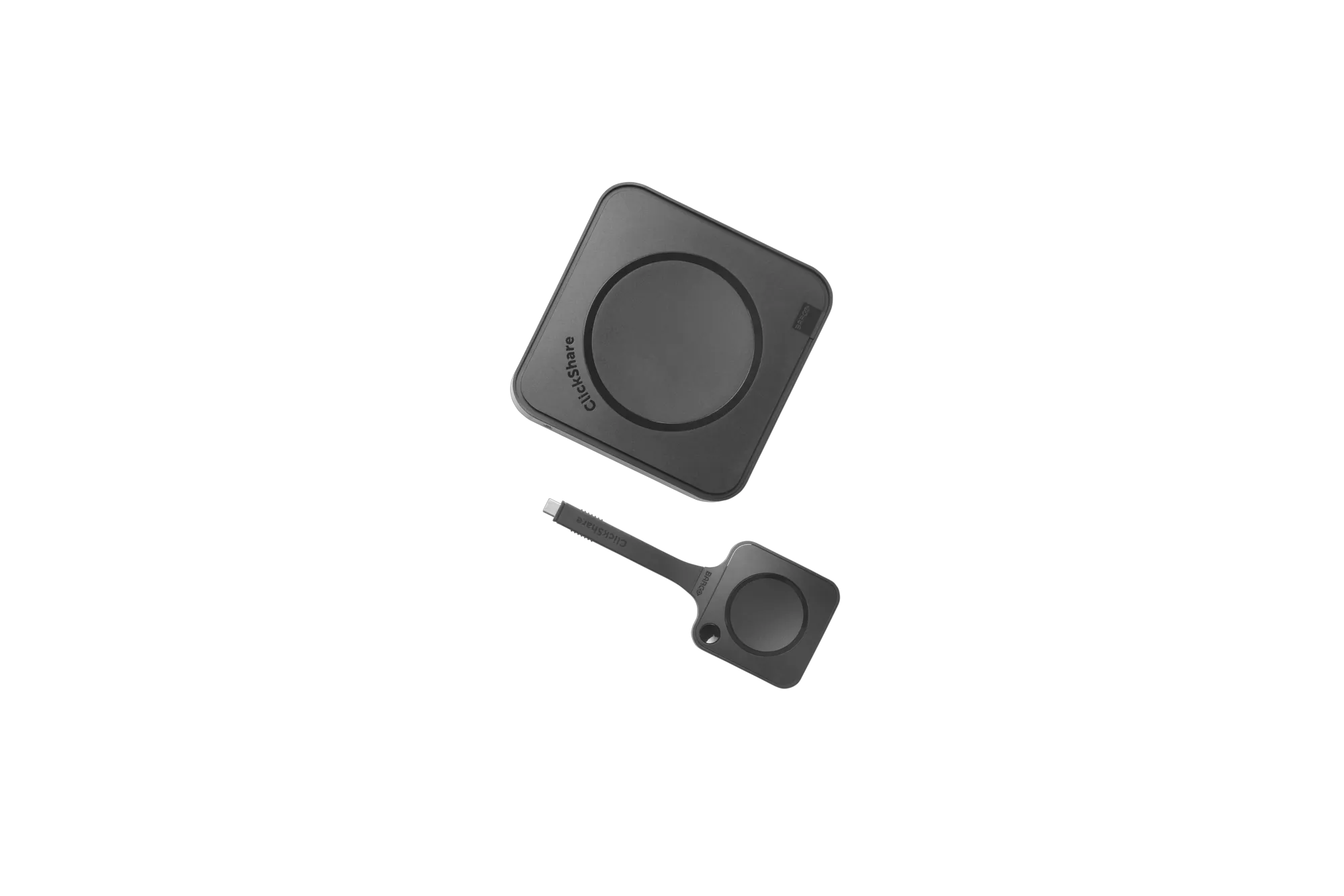
ClickShare Hub Core
Base version for Microsoft Teams Rooms meeting rooms.
The entry-level version of the Hub series: one fifth-generation ClickShare Button (Wi-Fi 6E, USB-C DisplayPort), 4K content sharing and full Microsoft Teams Rooms certification. Barco Eco-Label A+ for sustainability-oriented procurement. controlrooms uses Hub Core in small to medium-sized meeting rooms where one display and one source are sufficient.
- MDEP/Android base
- MS Teams Rooms licence required
- 1× ClickShare Button (5th gen.)
- Video output HDMI UW5K WUHD (5120×2160) @ 30 Hz
- Video input 4K UHD @ 30 Hz HDMI 2.0
- 1 source at a time
- Range button↔base unit max. 30 m
- Barco Eco-Label A+

ClickShare Hub Pro
Premium version with two buttons and dual-display support.
The extended version for more demanding meeting rooms: two ClickShare Buttons and support for two displays at the same time – suitable for larger rooms or conference rooms with parallel content and participant views. Ideal for crisis teams, management floors or technical meeting rooms where content must be presented while remote participants are shown in parallel.
- MDEP/Android base
- MS Teams Rooms licence required
- 2× ClickShare Button (5th gen., USB-C DisplayPort)
- Dual-display support
- wireless BYOD for Zoom/WebEx/Google Meet and others
- Barco Eco-Label A+
Bundles with camera/audio partners
Preconfigured Microsoft Teams Rooms packages.
Barco also offers Hub Core and Hub Pro as certified bundles with partner hardware (including Logitech MeetUp2, Sennheiser audio, Huddly C1 camera). controlrooms selects the right bundle based on room size and existing AV equipment, or combines Hub with camera/audio technology already in place. The result is a certified complete system instead of a collection of individual components.
- Hub Core + Logitech MeetUp2 (Teams Rooms bundle)
- Hub Core + Sennheiser (Teams Rooms bundle)
- Hub Pro + Huddly C1 (Teams Rooms bundle)
- Hub Pro + Sennheiser (Teams Rooms bundle)
Accessories & management
ClickShare Control Panel
Touch control panel for the conference room.
A dedicated control panel for meeting control directly at the table – a complement to the button-based start, especially for rooms with frequently changing, less tech-savvy users. controlrooms recommends the Control Panel for meeting rooms where the ClickShare Button alone is not enough and clear visual control makes everyday use easier.
- Touch operation
- eDP output HD (1280×800) @ 60 Hz
- for the Hub series
XMS Cloud Management Platform
Central remote management of all ClickShare units.
As with the Conference series, all Hub units can be managed, updated and monitored centrally via XMS – standard for operators with several meeting rooms. Firmware updates, configuration changes and status monitoring run centrally instead of on site. controlrooms sets up XMS as part of commissioning and trains the IT team.
- Cloud-based fleet management
- Central firmware updates
- Monitoring & configuration across all sites
Planning and integration by controlrooms
ClickShare Hub is not a stand-alone solution. It has to fit the room technology, the network, the IT security requirements and the operating concept. controlrooms takes care of the overall planning: room analysis, selection of the right Hub model, bundle configuration, network integration, commissioning and training. Operators receive a certified system that works in everyday use and remains traceable when service is needed.
Visit our showroom in Wieselburg or Vienna Prater
Control room technology is not decided on the data sheet alone. In our showrooms you experience control room planning, Barco visualisation, KVM systems, operator workstations, ergonomics and service working together in practice.
Visits by appointment. Contact: Erich Strasser.
Frequently asked questions about Barco ClickShare Hub
Does ClickShare Hub need a Microsoft Teams licence?
Yes. Hub Core and Hub Pro are certified as Microsoft Teams Rooms systems and require a corresponding MTR licence. Without a licence, the Teams function cannot be used; the BYOD mode for other platforms still works, however.
Can ClickShare Hub also be used with Zoom or WebEx?
Yes. In addition to Microsoft Teams, Hub also supports Zoom, WebEx, Google Meet and other platforms wirelessly via BYOD mode. The room is therefore not restricted to Teams alone.
What is the difference between Hub Core and Hub Pro?
Hub Core offers one button and one display. Hub Pro offers two buttons and dual-display support – for larger rooms or configurations with parallel content and participant views.
Does controlrooms handle the complete room planning?
Yes. controlrooms plans Hub systems including room analysis, camera/audio selection, network integration, commissioning and training. Existing AV components can also be integrated.