IP KVM from IHSE – control rooms across site boundaries
Classic KVM transmits over dedicated lines. IP KVM uses the existing IP network and detaches the workstation from its location: operators access computers and virtual machines across buildings, campuses or sites – encrypted and in real time. controlrooms plans IP KVM wherever control rooms grow, work in a distributed way or existing KVM systems are to be extended into the network – without extensive recabling.
Real-time IP KVM (SIRA family)
Draco SIRA CPU (series 488)
IP KVM extender with integrated thin client – access to physical and virtual machines.
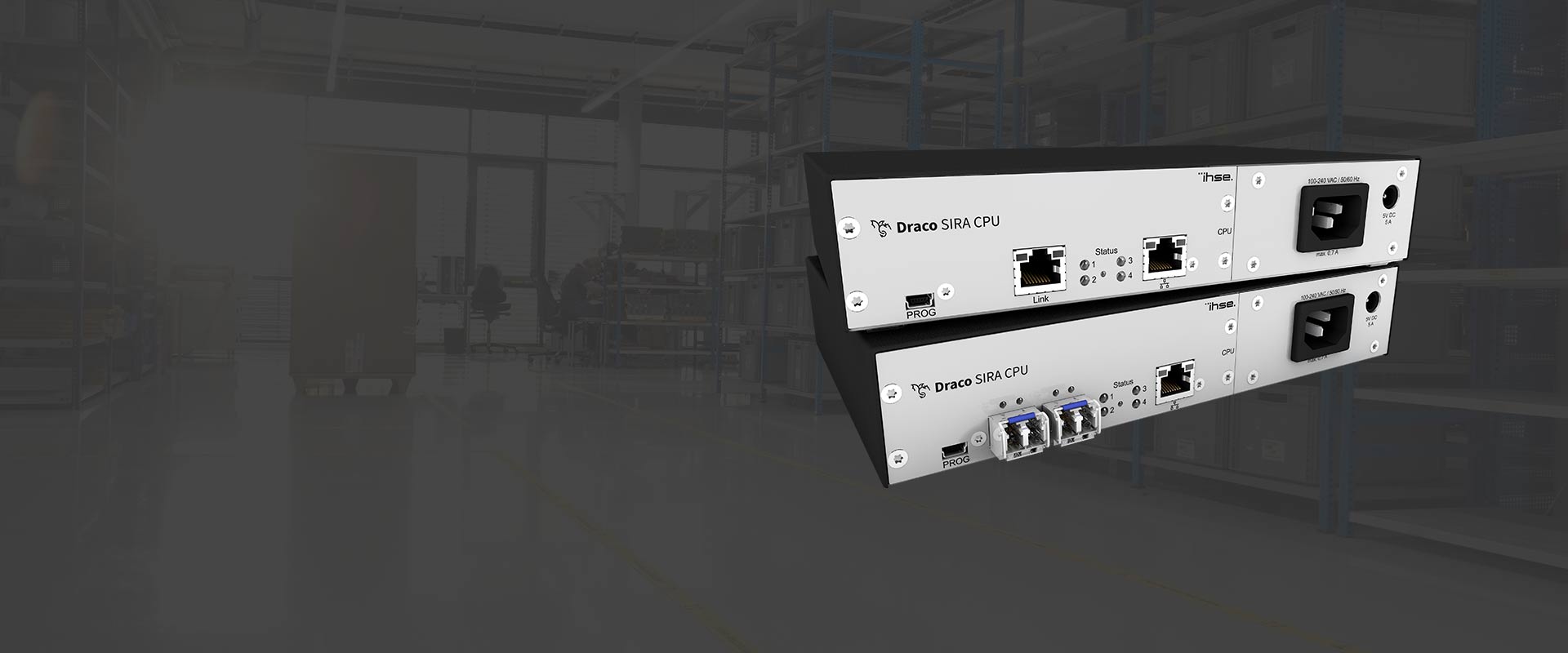
The SIRA CPU connects the KVM and VDI worlds: it combines a KVM extender (CPU side) with a thin client, so for the operator it makes no difference whether they connect to a physical computer or a virtual machine. Via RDP, RemoteFX, SSH, VNC and HTML5, controlrooms can thus integrate virtualised infrastructure cleanly into the control room.
- Single-head 4K30 / dual-head 1920×1200 @ 60 Hz
- 1G LAN (RJ-45 or single-mode fibre up to 10 km)
- USB 2.0, 2-channel PCM audio
- up to 8 parallel sessions
- RDP/RemoteFX/SSH/VNC/HTML5
Draco SIRA CON (series 488)
Console-side access to the Draco tera matrix over IP.
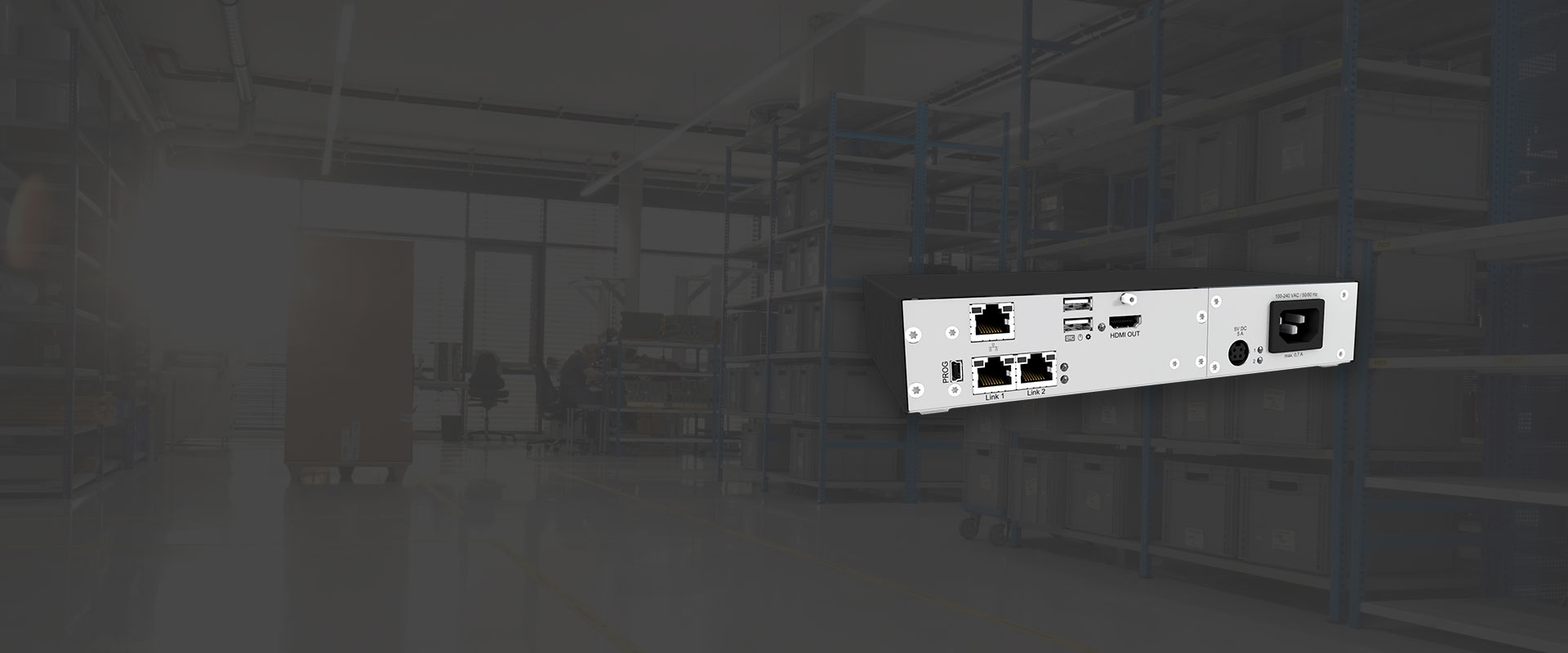
The SIRA CON brings the remote workstation to the matrix over IP – encrypted and independent of the core infrastructure. Access is via an HTML5 browser, a Windows/Linux client or the SIRA User Station. controlrooms uses it for secure remote and home-office workstations on critical control systems.
- up to 3840×2160 @ 30 Hz
- Gigabit Ethernet (TCP/IP)
- SSL 128/256-bit, SNMPv3
- Cat-X 140 m / multi-mode 1,000 m / single-mode 10,000 m
- local HDMI/USB access
- 2-slot Draco vario
Draco SIRA Stand-Alone (series 488)
Point-to-point IP KVM without a matrix – with remote maintenance down to BIOS level.
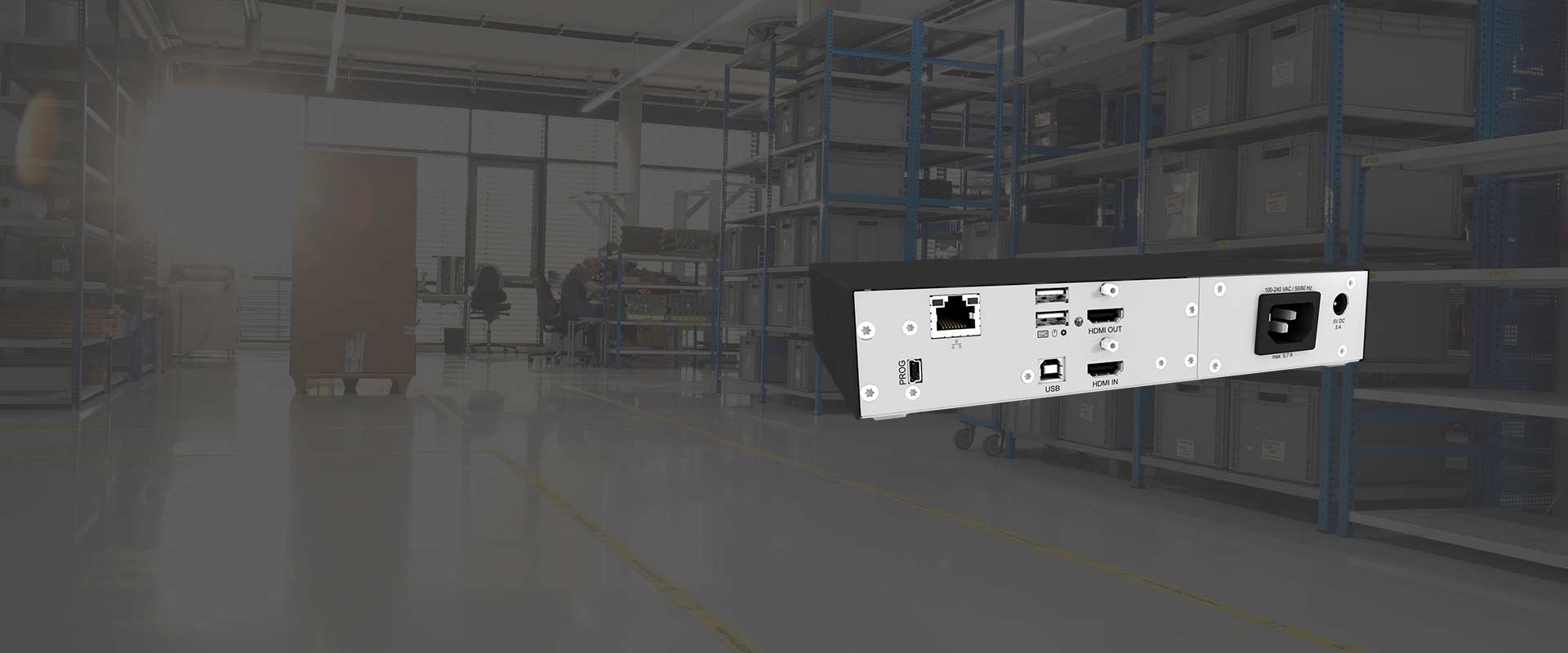
When no matrix is needed: the stand-alone version connects directly to a computer and shares it securely over IP – including local console access, virtual media for file transfer and control down to BIOS level. controlrooms recommends it for individual critical servers and service access points.
- HDMI up to 4K30
- TCP/IP, SSL 128/256-bit
- 2-channel audio
- Virtual media, BIOS-level control
- redundant power supplies possible
- up to 3 modules in 1U
Draco SIRA User Station (series K488)
Compact hardware terminal for the high-security IP workstation.
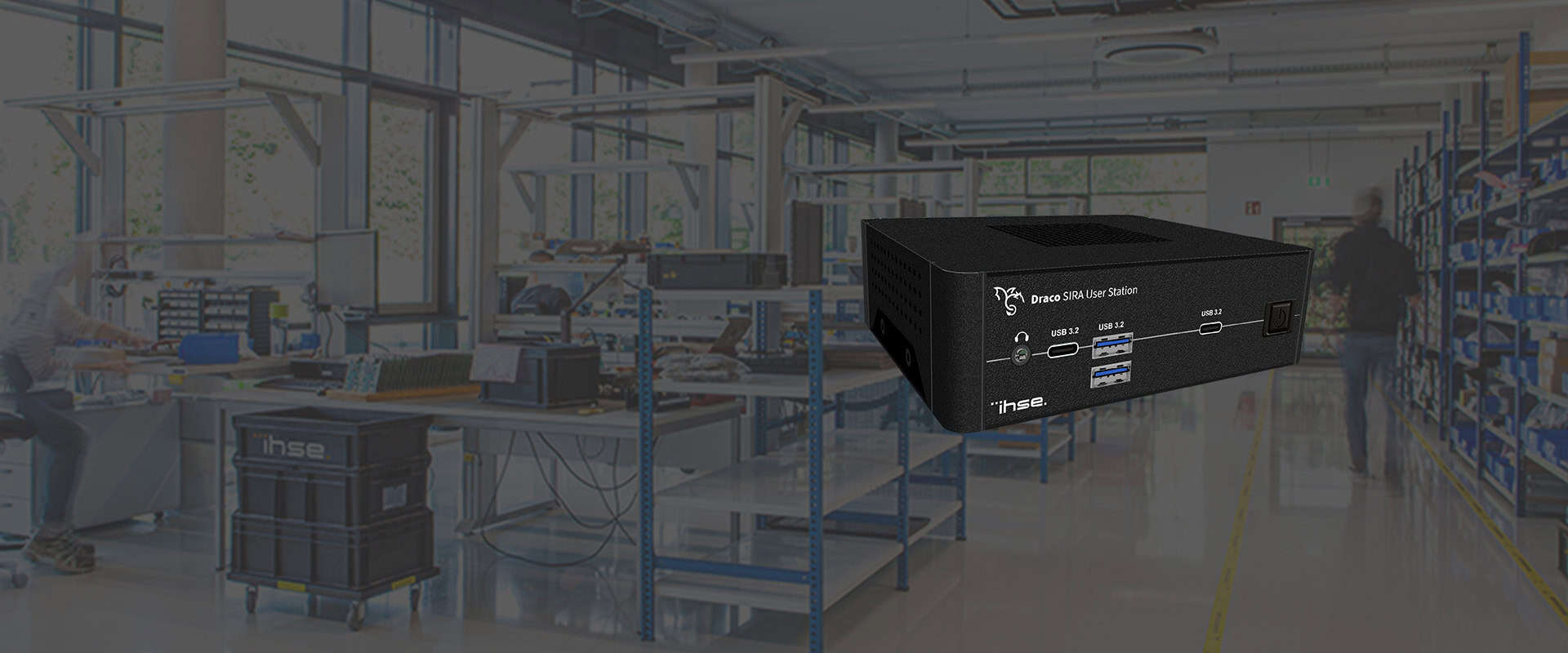
The User Station is the slim appliance on the operator desk: not a full PC, but a hardened terminal for encrypted IP access to remote computers and servers – up to four monitors, several streams at once in a configurable multiview. controlrooms uses it for tidy, secure remote workstations.
- HDMI 2.0a + DisplayPort 1.2a
- up to 4 monitors
- 4096×2160 @ 60 Hz
- digital/analogue audio
- desktop/rack/VESA mounting
- works with SIRA CON or Stand-Alone
Draco CON App (software)
Software client for KVM over IP – flexible on a laptop or PC.
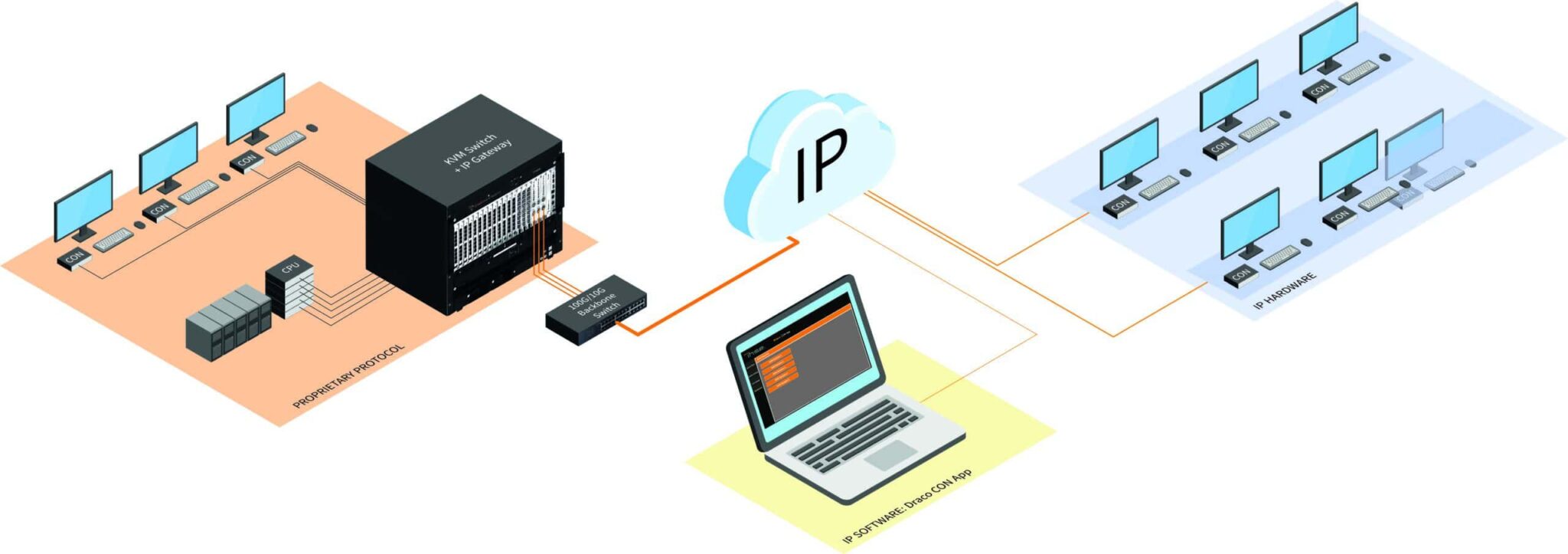
The CON App replaces the hardware decoder with software: KVM access over the network directly from a Windows or Linux computer, including audio and scaling. controlrooms uses it for flexible additional and mobile workstations that only need a solid 1G network.
- Windows 10+ / Linux
- up to 4K30
- dual-head 1920×1200 @ 60 Hz
- up/downscaling
- for Draco tera via IP Gateway
- pay-per-stream licence
IP gateways (bringing the matrix into the network)
Draco tera IP Gateway (series 480)
Connects Draco tera matrices over IP – across buildings and sites.

The gateway brings several tera matrices together over the existing IP network: within a building, across campus boundaries or between remote sites. Secure Core™ technology prevents direct matrix access from the IP network. controlrooms uses it to extend existing IHSE systems without recabling. More in our article on the IHSE Draco tera IP Gateway.
- up to 8 bidirectional IP connections per gateway
- 4K30
- up to 10 km single-mode fibre
- Layer 3 capable (switches/routers)
- Secure Core™
- in parallel with direct matrix connections
Draco vario IP Gateway CON (series 481 / 483)
Console-side IP gateway into the tera matrix.

Connects the workstation to a Draco tera matrix over a 1G network instead of a dedicated line – integrated seamlessly into existing tera installations, with a local PC connection. controlrooms uses it to connect workstations flexibly over the network.
- HDMI (481) up to 4K30/2K60
- DisplayPort (483) up to 4096×2160 @ 30 Hz
- 1G Ethernet
- Cat-X 140 m / single-mode 10 km
- USB HID, stereo/5.1 audio
- for tera enterprise/flex
Which converters and accessories fit into an IP KVM architecture is shown in the corresponding overview.
IP KVM is used when operator positions are to be connected flexibly, across sites or via existing IT infrastructure. For control rooms, what counts is not just bandwidth, but above all availability, rights management, latency, encryption and operating logic. controlrooms does not plan IP KVM as an isolated product, but as part of the complete control room architecture with video wall, workstations, network, redundancy and service.
Visit our showroom in Vienna Prater or Wieselburg
Technology for control rooms and KVM workstations is best judged live. In the showroom we show video wall, KVM, operator positions and typical 24/7 scenarios working together in practice.
Appointments by arrangement. controlrooms GmbH supports you with analysis, planning, integration and ongoing service.
Frequently asked questions about IP KVM from IHSE
When does IP KVM make sense?
IP KVM makes sense when workstations need to scale flexibly, systems are physically separated or several sites have to be connected in a controlled way.
Is IP KVM suitable for 24/7 control rooms?
Yes, if network, redundancy, rights concept and monitoring are planned professionally. This is exactly where product sales and control room planning differ.
What role does IHSE play?
IHSE supplies professional KVM technology for safety-critical applications. controlrooms integrates this technology into the overall architecture of the control room.
How does an IP KVM project start?
It starts with an inventory, a signal and workstation analysis, security requirements, a redundancy concept and a clean migration plan.